When AI output outgrew the chat window
Chat is good at answering questions. It’s not built for creating something you need to keep. Responses disappear into scrollback. Edits mean re-prompting. A campaign brief or structured report feels fragile inside a conversation thread.
At the same time, multiple product teams were embedding generative AI into their applications. Each team had different requirements and formats. The challenge: design a workspace that works across all of them without starting from scratch for each.
AI was generating great content. Users couldn’t do much with it.
The gap wasn’t AI quality. It was what happened after. A document arrived in a chat bubble. To use it: copy it, paste it elsewhere, reformat it, share it. Each step broke the connection between what the AI produced and how the user could act on it.
“How do we create a persistent workspace where AI output doesn’t just land, it lives? Where users can iterate on it, own it, and take it somewhere?”
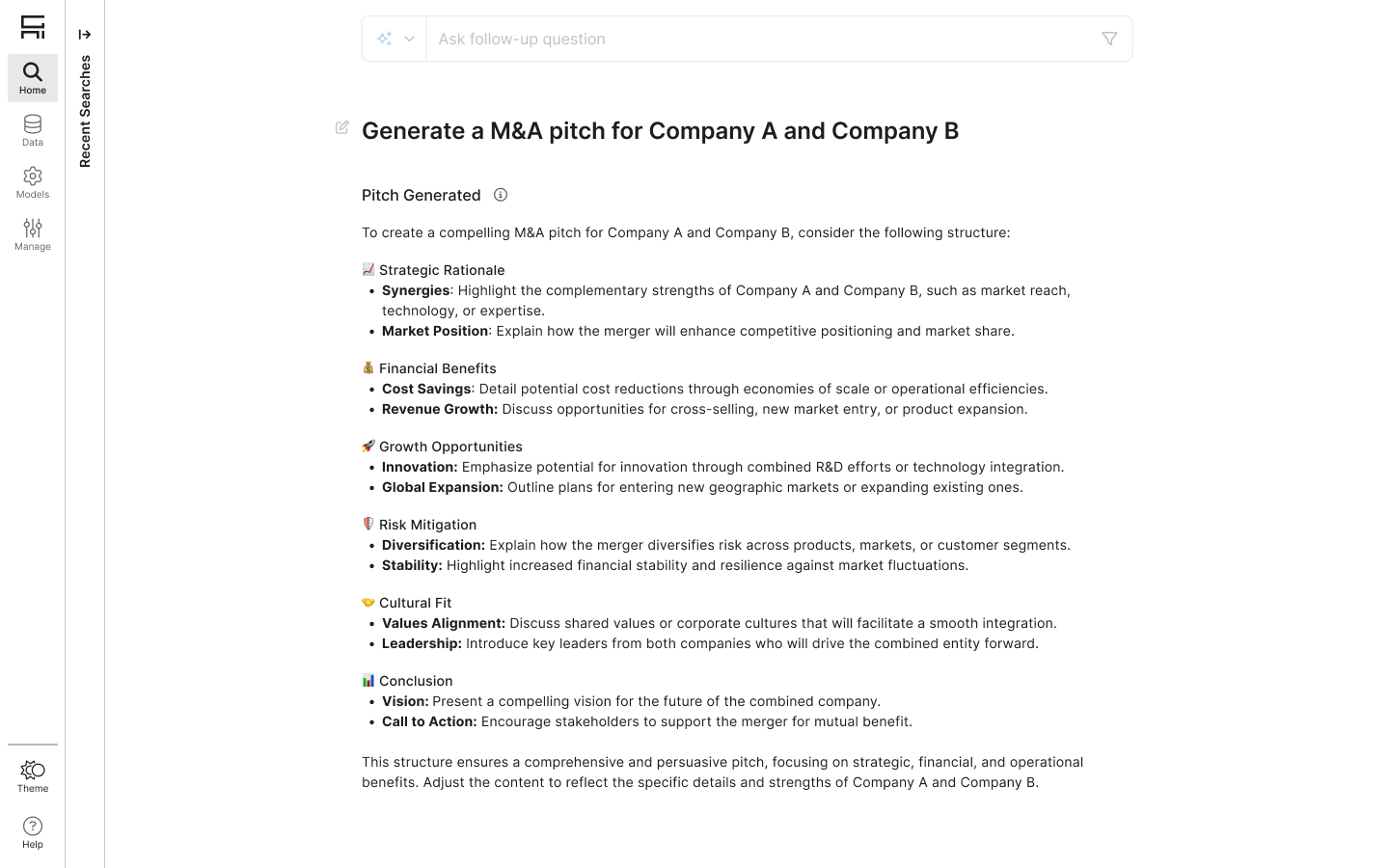
Before: AI responses lived and died in the conversation scroll
Watching the workaround
Before defining a solution, I needed to understand the real behavior. Through conversations with PMs embedded in different product teams, a pattern emerged: users weren’t failing at prompting. They were failing at what came next. AI-generated content was being copied out of the product and pasted into other tools to be reformatted, edited, and shared. Every step happened somewhere else. The workaround was the workflow.
That insight reframed the problem entirely. This wasn’t about improving the AI. It was about closing the gap between generation and use, building a space where output could live, be owned, and actually go somewhere.
“Users weren’t asking for better AI output. They were asking, implicitly, for somewhere to put it.”
The Canvas Resource: a new kind of output
The core concept was the Canvas Resource: a structured, editable block that lives in the AI interface and behaves differently from a chat message. Four properties defined it from the start:
Editable
Full formatting and structure control. The AI generates; the user owns.
Interactive
Give feedback, request changes, iterate inline without leaving the workspace.
Actionable
Canvas content can trigger downstream actions: updating an object, sending a message, launching a workflow.
Composable
Resources fit inside larger flows. A brief or a table isn’t standalone: it’s part of something bigger.
This gave cross-functional teams a shared vocabulary. Alignment happened because everyone agreed on what a Canvas Resource needed to do, wherever it appeared.
A transition that feels earned, not abrupt
When an AI response meets the criteria for a Canvas Resource (long-form, structured, meant to persist), Canvas activates automatically. Users don’t switch modes. They just keep working. Resources link back to the conversation as anchors, so moving between dialogue and document feels like one continuous thought.
Once a resource exists, users can edit it in two ways: through the Assistant with natural language commands, or directly in the rich text editor. The minimized view is read-only, and manual editing is only available in the expanded state, which prevents accidental edits in the compact UI and reinforces a clear interaction model: minimized to view, expanded to edit. Editing through the agent lets users delegate complex or repetitive work, like formatting, summarizing, or rewriting, reducing friction for users who prefer not to edit directly.
Editing and iterating on an existing resource via the Assistant
Creating a new object from the expanded view
Full-screen editing was non-negotiable. Enterprise users creating briefs or structured plans need space to think. Full-screen removes all chrome and puts content first.
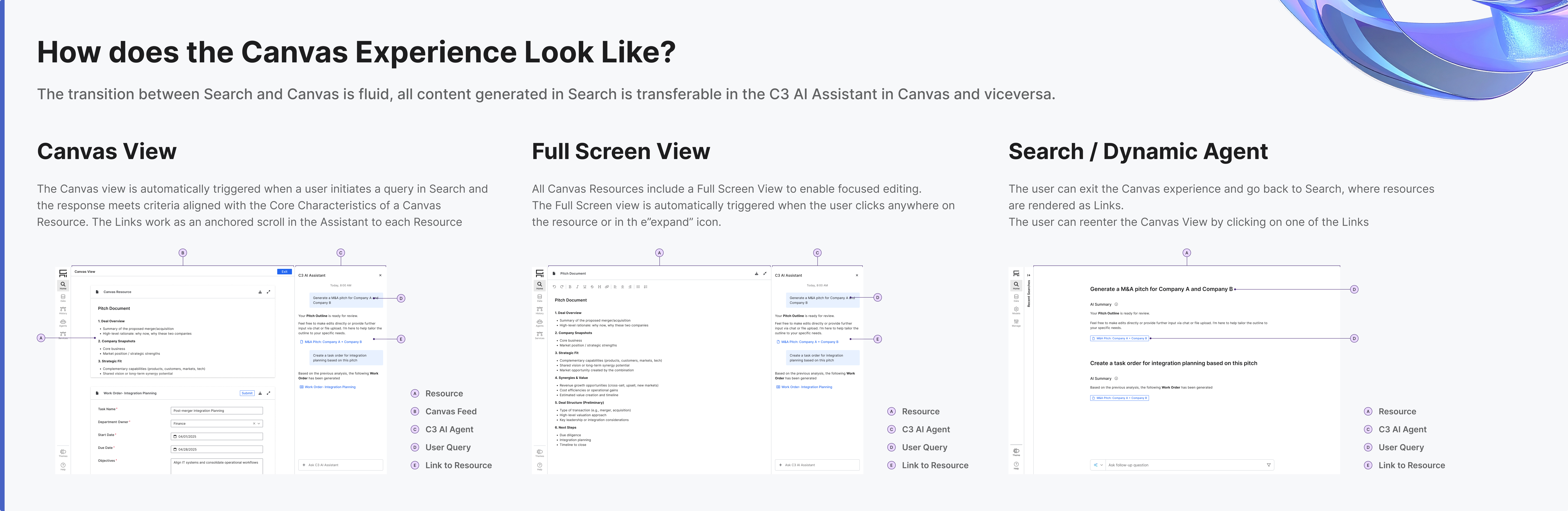
All Canvas states: Search link, Canvas view, full-screen editing
A text editor became a content system
We started with a rich text editor. Canvas quickly expanded as new needs emerged: tables, email templates, form components. The four properties (editable, interactive, actionable, composable) became the test for whether a new format belonged in Canvas or not.
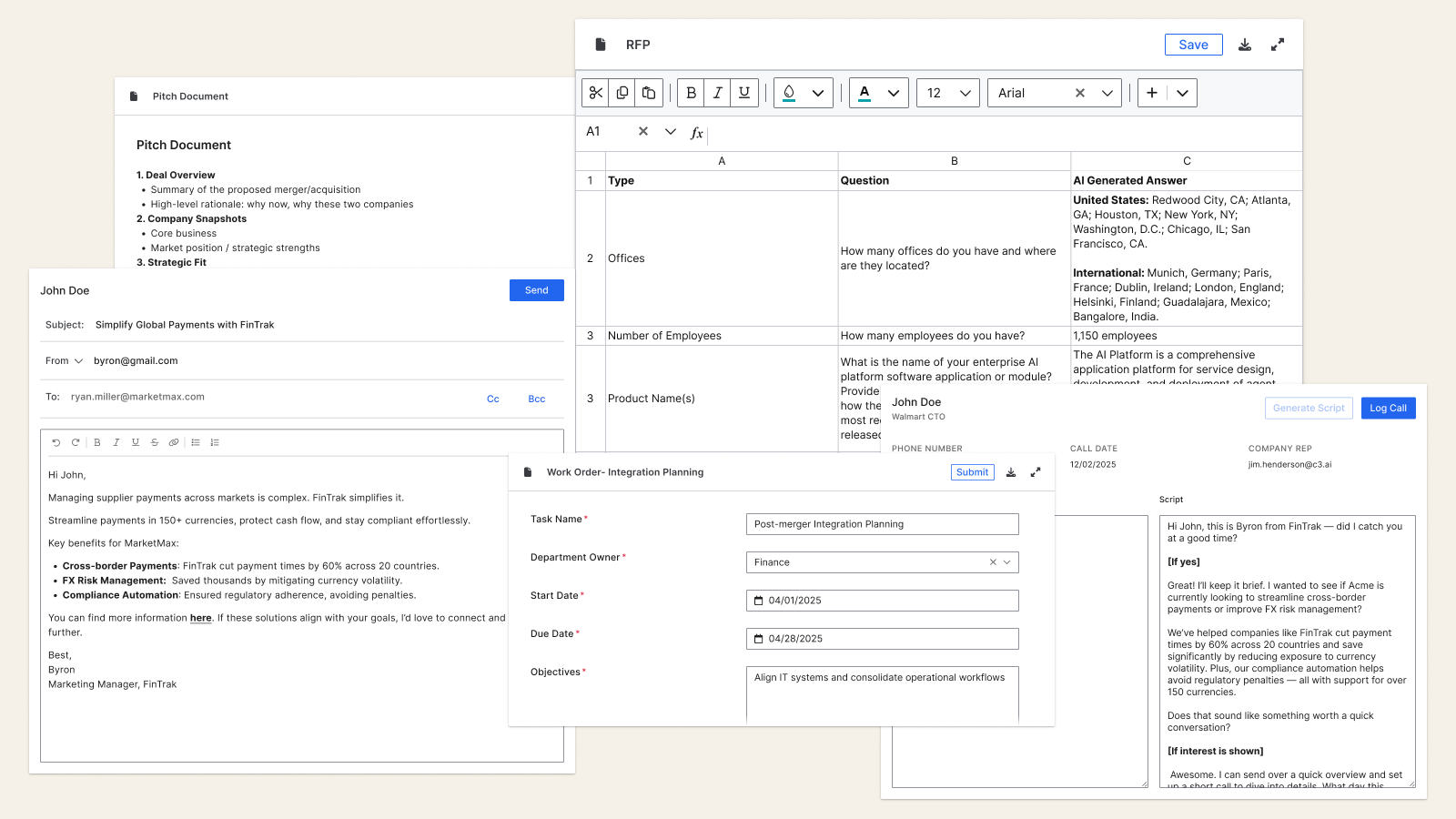
The Canvas type system: documents to structured data to email templates
Design as the integrating layer
Multiple PMs with different visions for how AI output should behave in their context. My job was partly to design, partly to mediate. I authored a unified interaction specification in Figma: shared behaviors, edge cases, and system logic across all Canvas implementations. It gave stakeholders something concrete to align around.
The spec also made engineering conversations more grounded. We could point to specific interactions and have real discussions about feasibility instead of negotiating in abstractions.
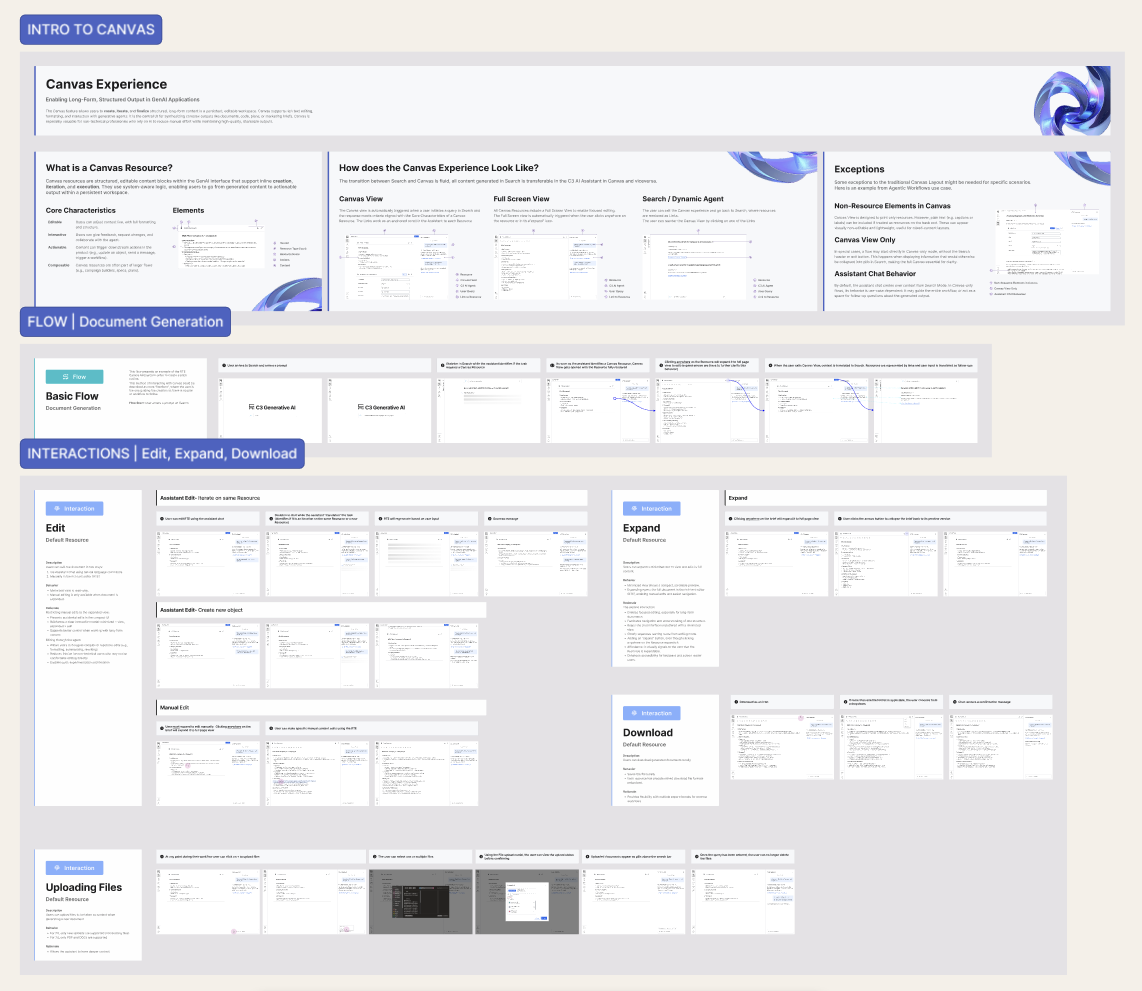
The unified interaction spec: shared behaviors, edge cases, system logic
The tensions we held
Consistency vs Flexibility
Shared behaviors had to work for a marketing brief and a code output. The framework needed principles, not rules.
Automatic Trigger vs Explicit Control
Canvas activates when output meets criteria. Clear rules for when it should, and deliberate restraint for when it shouldn’t.
AI Continuity vs Clean Workspace
Users needed conversation context and document space. The transition model kept both without forcing a choice.
A workspace that became infrastructure
- Canvas became the shared AI output layer across C3.ai products, one model for how AI-generated content behaves, wherever it appears in the platform.
- Eliminated copy-paste workflows for enterprise users. Content moves from generation to editing to system action without ever leaving the interface.
- The interaction spec I authored became the engineering team’s implementation reference, the document they pointed to when making decisions about how Canvas should behave in new contexts.
- The four-property framework (editable, interactive, actionable, composable) gave cross-functional teams a shared vocabulary that outlasted the initial build, used to evaluate every new format request that followed.
The copy-paste behavior I observed early on turned out to be the most important signal in the project. Users weren’t asking for a better editor, they were telling me, through their workarounds, that AI output had no home. Naming that gap made everything else easier to design. Enterprise AI work isn’t really about interface styling. It’s about understanding what users do when the product doesn’t give them what they need, and building for that.