Campaign creation was working. Until it wasn’t.
GenMkt’s campaign creation let marketers automate outreach by generating personalized emails for every lead in their list. The original flow was a structured form: fill in a brief, pick leads, tweak the AI prompt, approve it, then review each generated email individually before manually sending. Every step lived on a different tab. Every action required coming back to a status overview that told you where you were, but not what to do next.
Users found it rigid. The fixed sequence of activities felt constraining. The back-and-forth between tabs was disorienting. And a huge amount of manual review that, in theory, AI could handle was still being pushed onto the user. Agentic workflows already existed in the C3.ai platform as a backend execution mechanism. The question was whether we could use that infrastructure to actually fix these problems, without exposing its complexity to the people who just wanted to run a campaign.
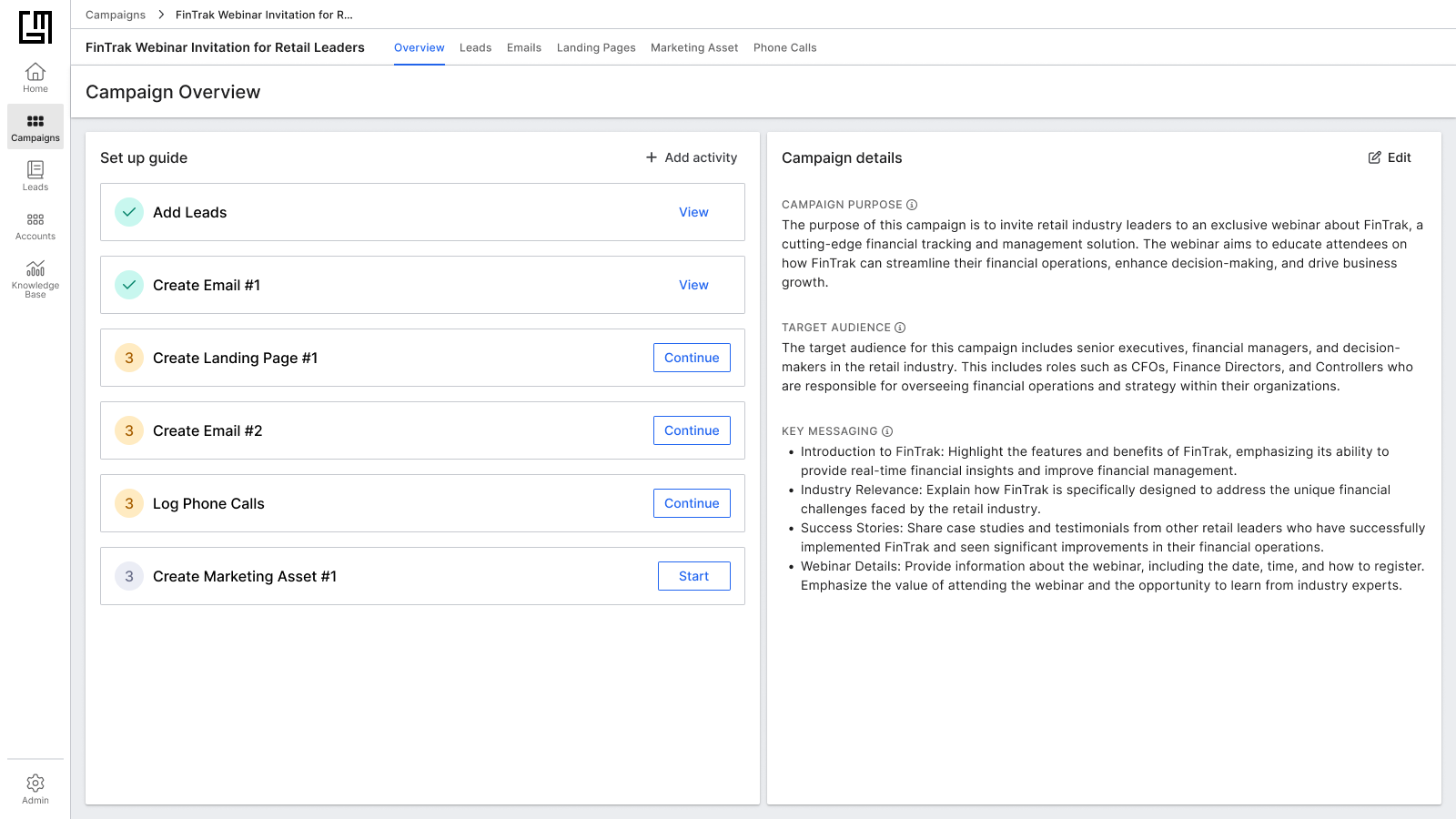
The original flow: each step lived on a different tab, with no unified view of what was done or what came next.
Marketers don’t think in workflows. They think in journeys.
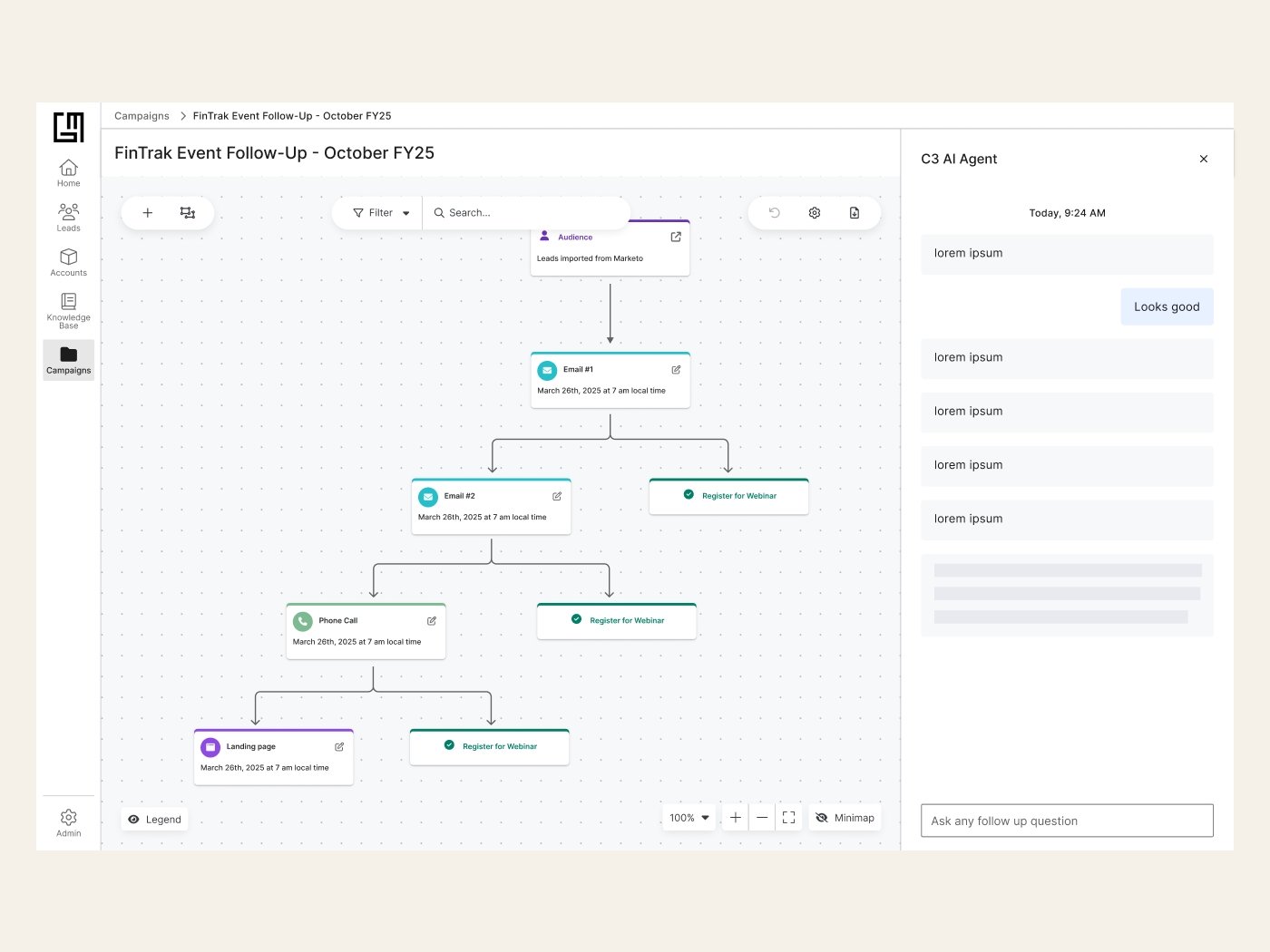
When I joined the project, engineering and PM wanted to take the existing agentic workflows UI (a node graph where each node represents a specific agent with inputs and outputs) and apply it directly to campaign creation. The backend logic was already being built. The assumption was that the UI would follow the same structure.
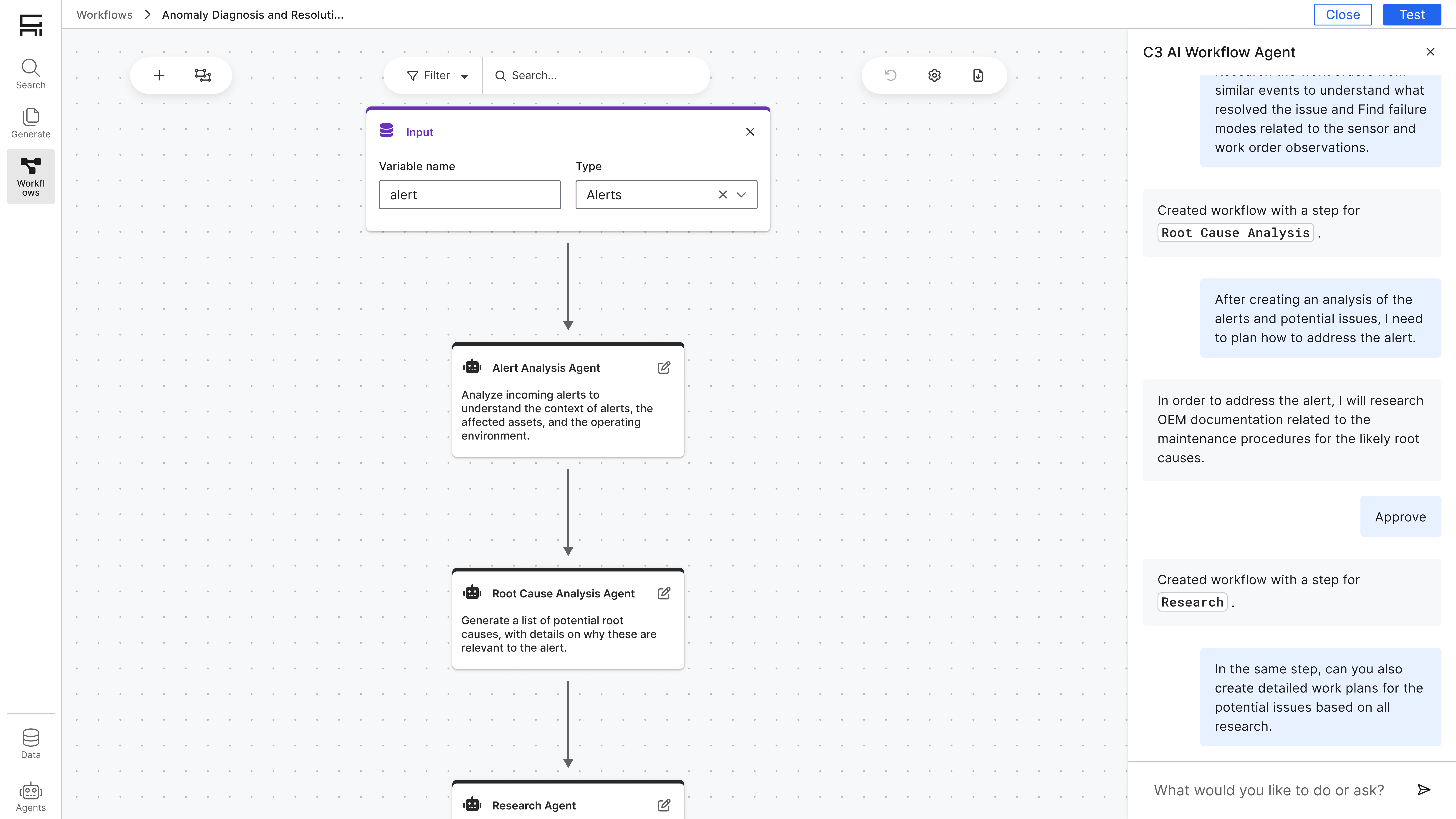
Original Agentic Workflows UI
Through rapid wireframing and conversations with my PM, I quickly discovered why this wouldn’t work. Marketers don’t reason about agents and data outputs. They think about activities, content, audiences, and timing. Showing them a workflow graph was like asking them to read a circuit diagram to write an email.
“Workflows are a powerful execution mechanism, but they are not a natural mental model for marketers. The primary user-facing construct should be the Journey: the sequence of activities, content, and timing that maps to campaign intent and lead progression.”
I spent multiple meetings advocating for this separation with engineering: the UI would speak in marketing language while the backend kept its workflow logic. Journeys are workflows under the hood; marketers just never need to know that.
Rapid wireframes, real conversations
I started with fast, low-fidelity wireframes, not to pitch a polished vision, but to make the conceptual debate concrete. Showing engineering a side-by-side of “agent nodes” vs “journey activities” made it easier to articulate why the mental model mattered, not just the visual preference.
I also analyzed the existing campaign flow end-to-end, mapping every moment where users had to context-switch, repeat information, or wait without feedback. Then I benchmarked journey builders and email automation platforms to understand what language and structure felt natural to marketers: where decisions were easy and where they got stuck.
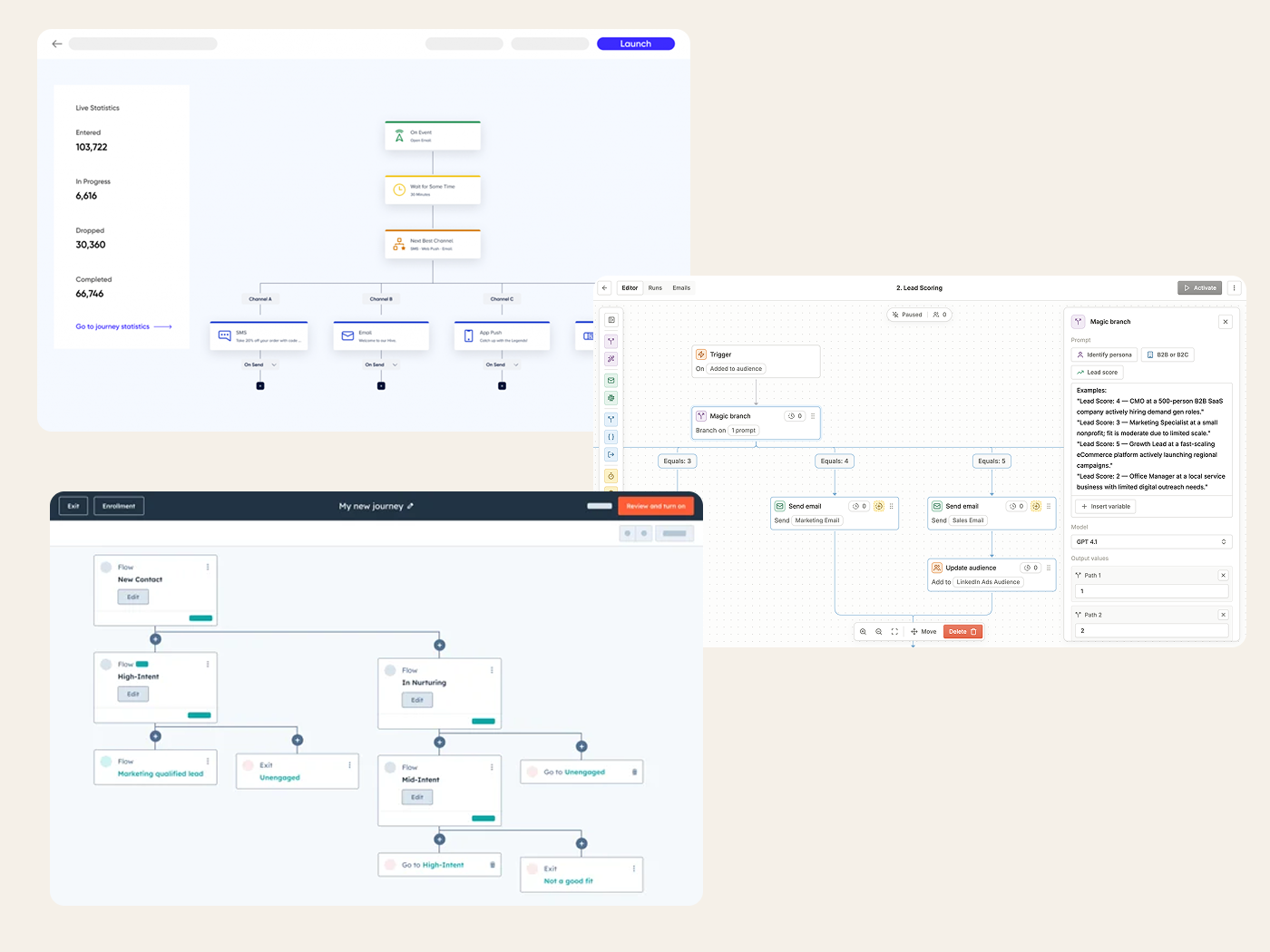
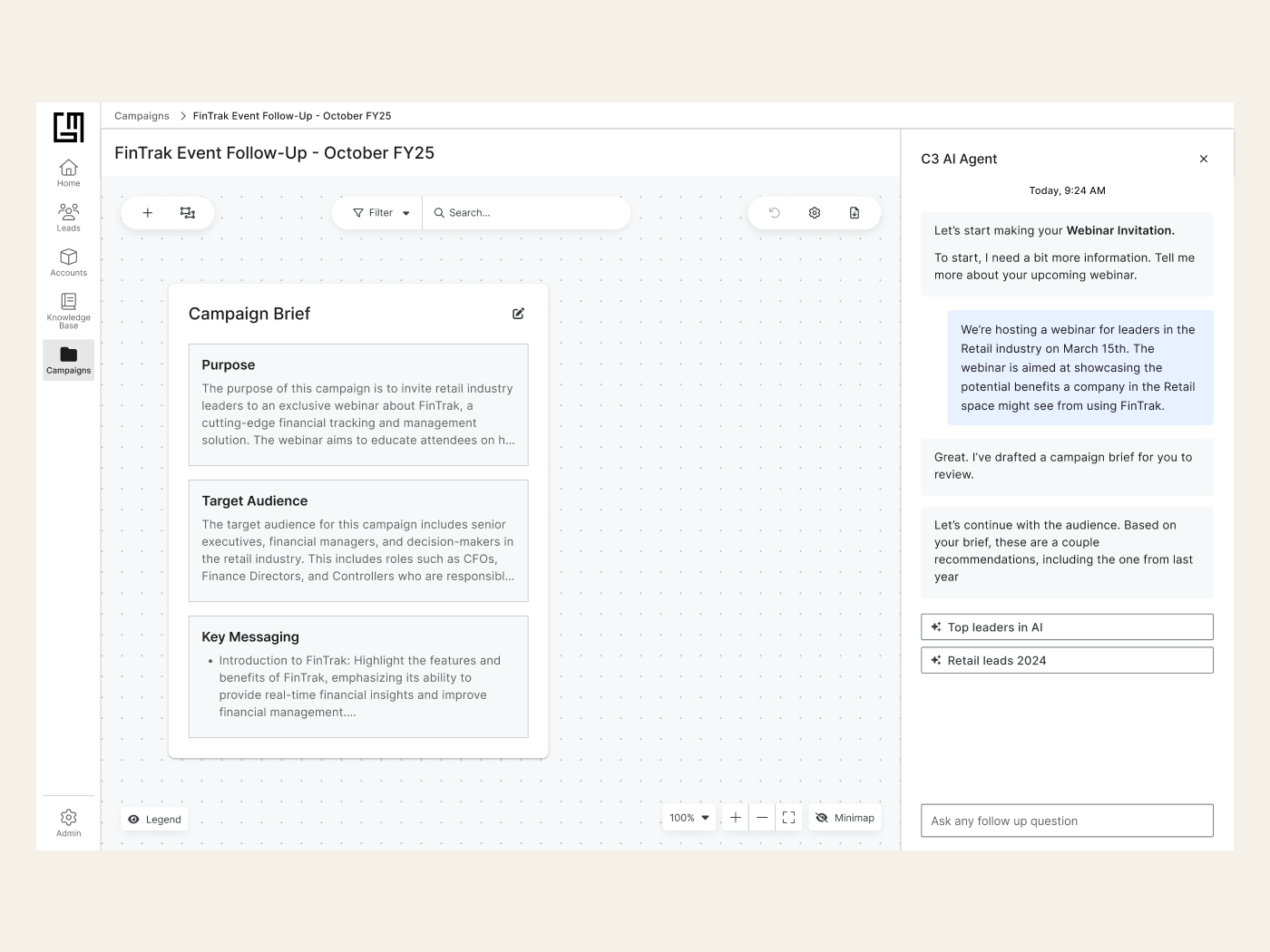
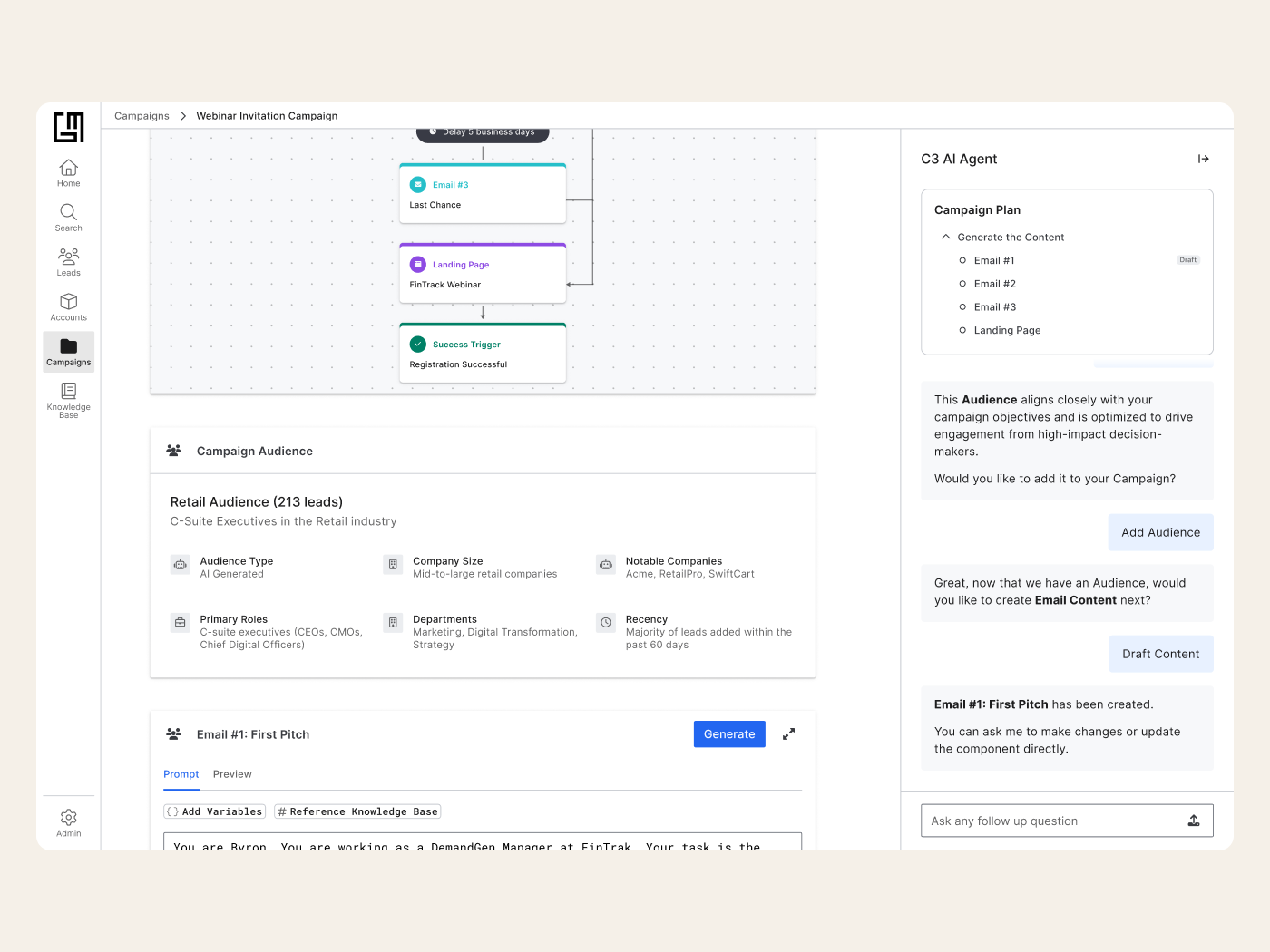
One insight that reshaped the architecture: in the new model, running a campaign should happen before content generation, not after. If agents were auto-sending emails that passed validation, then “launch” couldn’t logically come at the end. Reframing this required several sessions with engineering to rethink what “running” actually meant in an agentic system.
Three layers that made it work
The redesign centers on three interconnected components. First, the AI Assistant opens every campaign: instead of a form, users describe their campaign in natural language and the agent translates it into a structured brief, saving time and reducing the cognitive overhead of having to know what fields exist before you know what you want.
Form → Brief → Leads → Prompt review → Manual send
Natural language ↔ AI brief → Journey canvas → Launch → Auto-generation & smart review
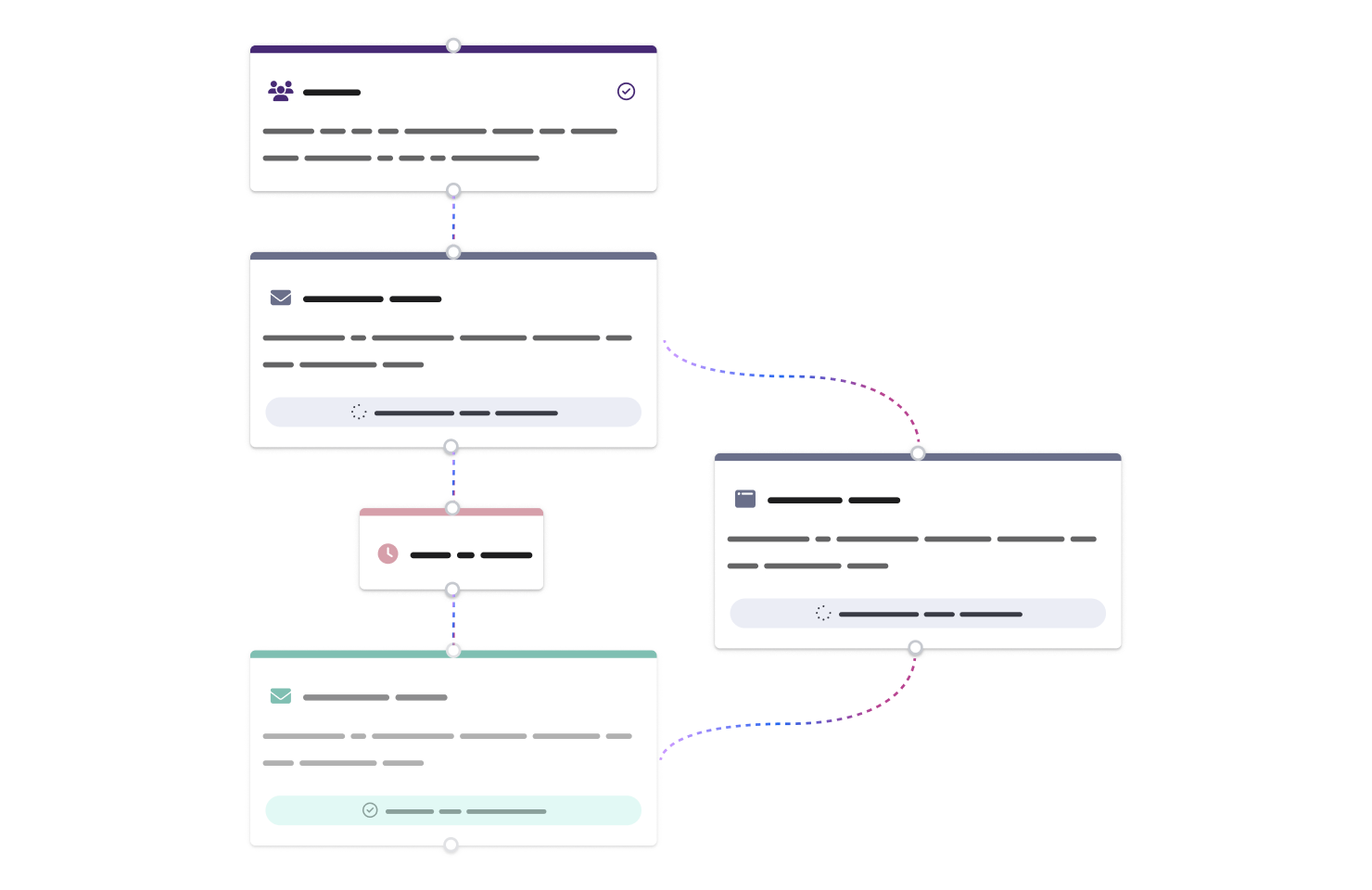
Second, the Journey canvas. Once in the workflow, users arrive with two pre-configured nodes: the AI-generated brief and a leads node. From there, they describe the activities they want (emails, phone calls, landing pages) and the timing between them, in natural language. Each node is a step in the campaign journey, not an agent in a pipeline.
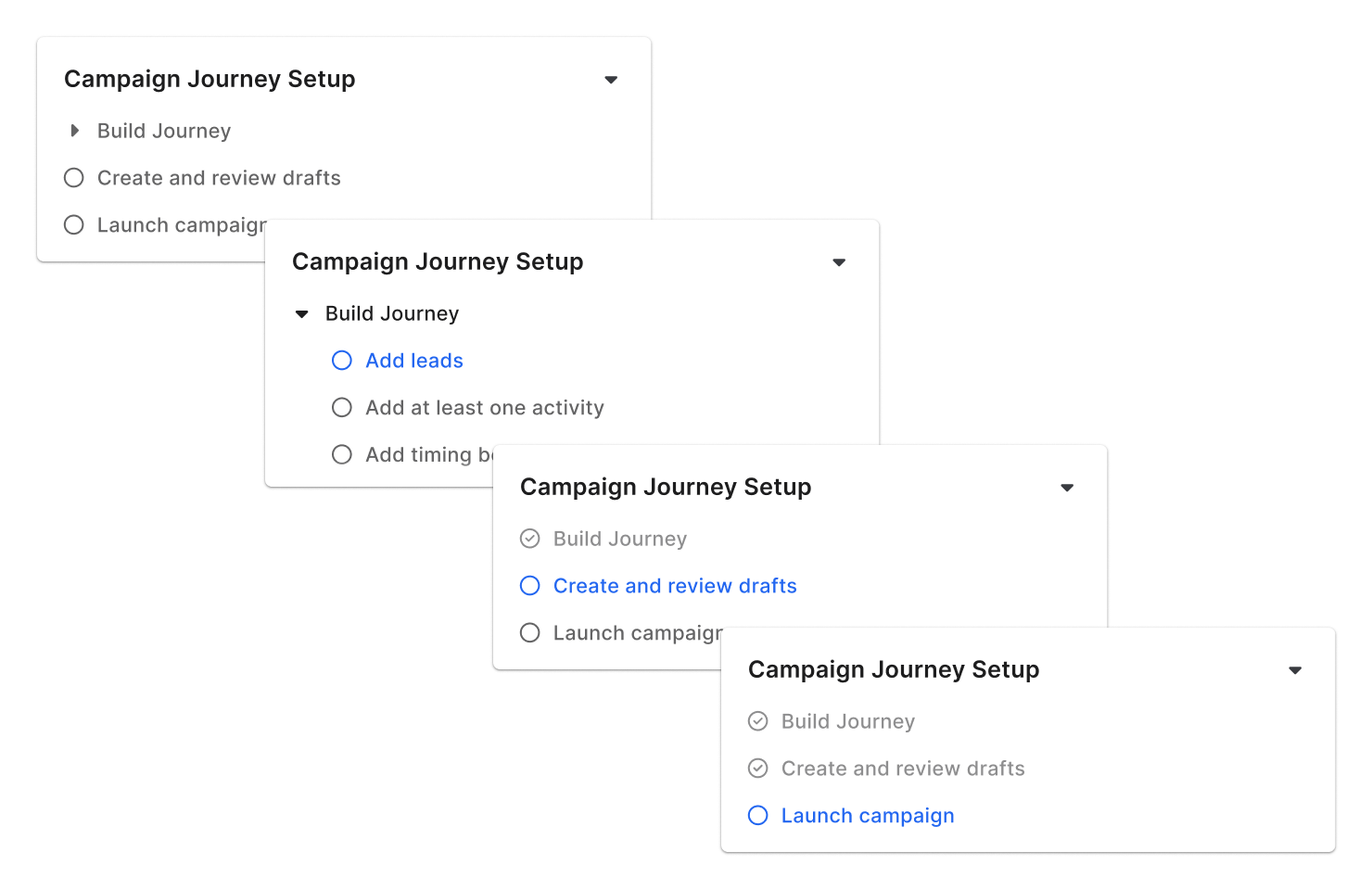
Third, the Campaign Plan: a persistent component inside the chat that tracked completed steps and surfaced what was still needed. In a conversation with an AI agent, users can easily lose track of where they are. The Plan kept them oriented without locking them into a fixed sequence; experienced users could move freely, while newer users had a clear guide.
Four decisions that defined the experience
Separate the UI from the backend
Engineering wanted to reuse the existing agent-node UI. I pushed for a different surface: one that used “journey” and “activity” language, not agent inputs and outputs. The backend stayed the same. The user never had to know.
The Plan as a gentle guide
The Campaign Plan lived inside the chat and updated in real time as users progressed. It wasn’t a stepper or a gated wizard; it let users move freely while making sure nothing got lost. Copy was deliberate: every step used language familiar to marketers, not system states.
Launch before generation
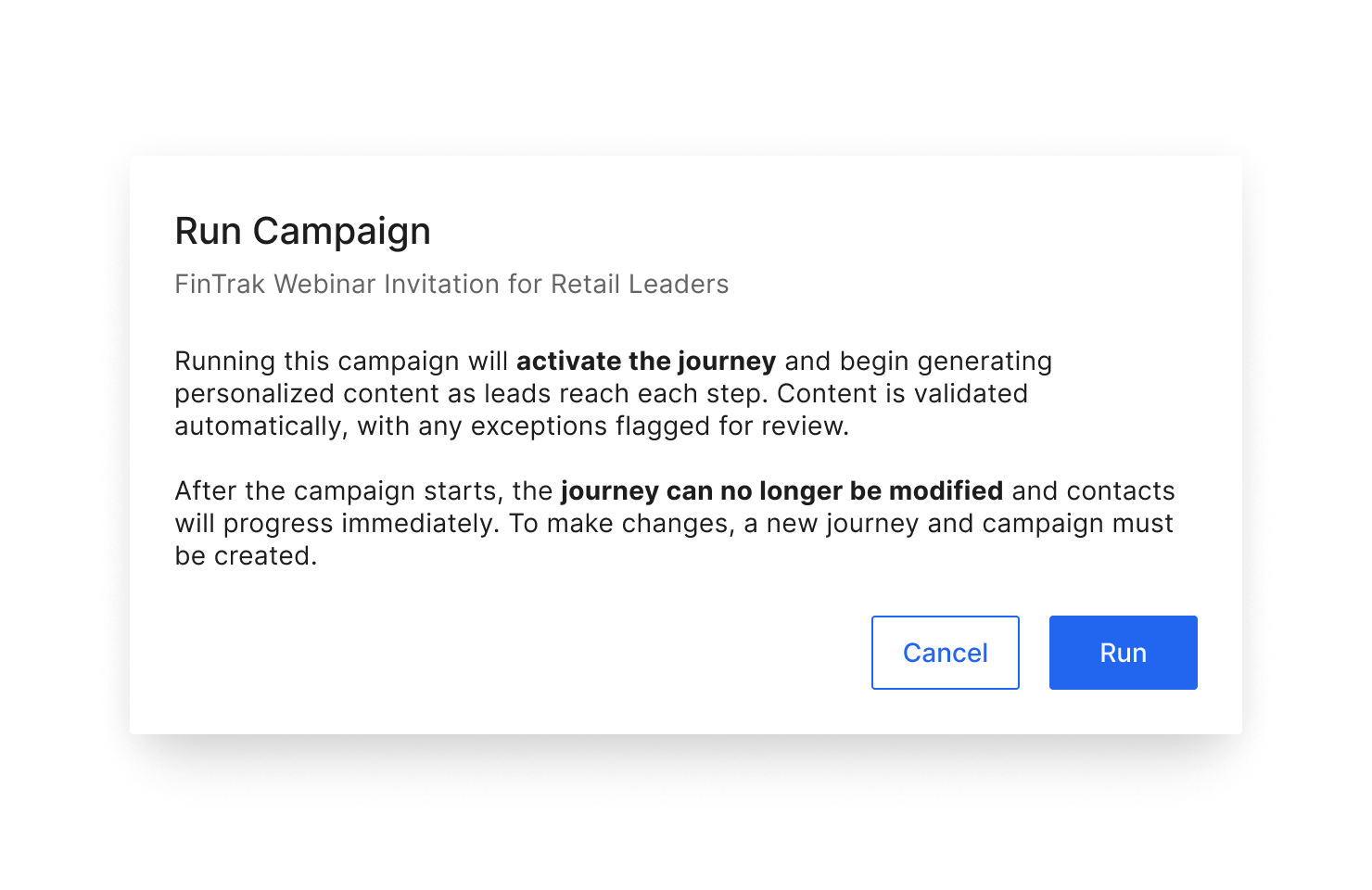
In the original model, users generated emails and then launched. With agentic automation, emails that pass validation are sent automatically, which means launching has to happen first. Redesigning this sequence required multiple engineering conversations to align on what “running” meant.
Multi-status nodes that tell a real story
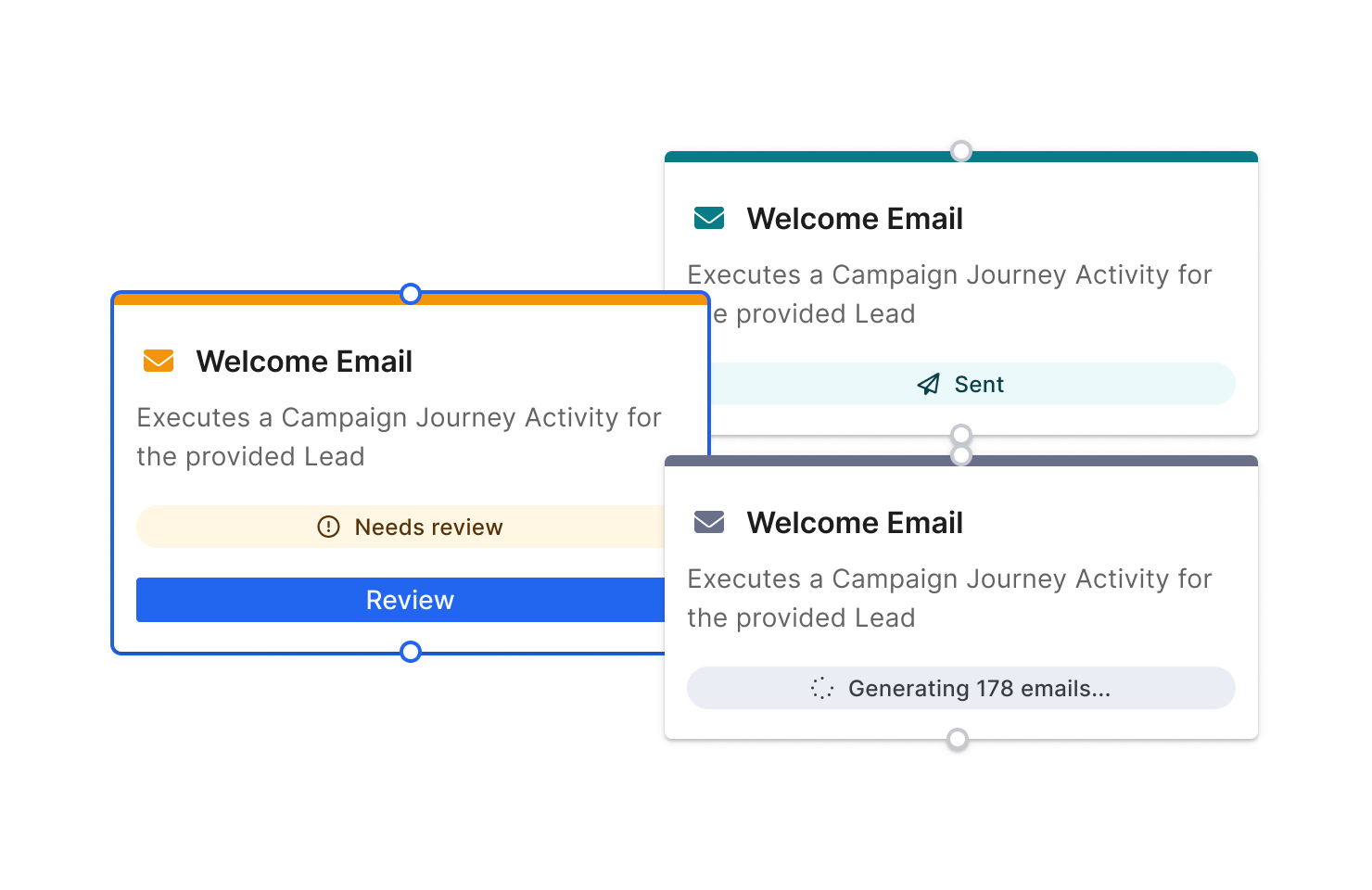
Each activity node had to show multiple statuses at once: sent, in review, generating, failed. We iterated extensively on how to communicate this at the node level without cluttering the canvas or burying the information users actually needed to act on.
The tensions we navigated
Flexibility vs Orientation
Users wanted to move freely through campaign steps, but also got lost. The Campaign Plan solved this without introducing gates: guidance without rigidity.
Automation vs Review
Auto-sending emails reduces workload dramatically, but users still needed to trust the system. Validation checks and clear review queues kept automation from feeling like a black box.
UI Simplicity vs Backend Fidelity
Separating the journey UI from the workflow backend created more design and engineering work upfront, but made the product usable for the actual audience. The abstraction was the product.
What shipped
- A redesigned campaign creation experience that starts with natural language and ends with an AI-powered journey, replacing a rigid, tab-heavy form with a unified, guided workflow.
- The Journey model became the primary user-facing construct for GenMkt, keeping agentic orchestration under the surface while giving marketers a mental model that matched how they actually think.
- Auto-generation and smart validation reduced the manual review burden significantly: only emails that fail validation require human attention before sending.
- The Campaign Plan component solved the orientation problem without adding rigidity; it became a pattern referenced beyond this project for other AI-assisted flows on the platform.
Advocating for the user sometimes means advocating against the most technically convenient solution. The backend was already built. Separating the UI from it required convincing engineering to do more work, and the argument that won wasn’t about aesthetics. It was about whose mental model the product was actually serving.